ProGramerly
Ionity (Pty) Ltd · AEDI · Free forever · v3.6.1

Your whole workstation, seen and unseen

Tick what you need, press Install, walk away. ProGramerly builds your whole dev machine, tells you how the run will go before it starts, and keeps watch after — with AEDi, Ionity’s AI that runs on your hardware, not someone’s cloud.

Checking for the latest release…

The DOME · drag to turn · hover a node · illustration — the app draws yours from your own machine

What it actually does

No wizards to babysit, no half-finished PATH. Pick a profile, press go, walk away.

A real catalogue

Over a hundred curated packages across runtimes, IDEs, shells, databases, embedded, ML and MCP tooling — resolved to winget, Chocolatey or Homebrew per machine.

Stays current

Checks GitHub Releases on its own schedule, verifies each download against the published SHA-256, and updates itself in place.

Watches the machine

A tray monitor for CPU, memory, disk and network, with live probing so you find out something broke before your build does.

Repairs itself

Registry repair, PATH reconstruction and a dry-run mode that shows exactly what would change before a single byte moves.

AEDi, on first run

Tick AEDi local core in Software and Ollama plus a starter model are installed with everything else. The chip in the top bar always says which model is answering — or that none is yet. Nothing leaves the machine.

Zero runtime dependencies

Node standard library only. Nothing to audit but the code you can already read, under Policy 986 AED.

The Ai-OS shell and the DOME

ProGramerly opens in the IONITY Ai-OS operator layout: one ask box wired to AEDi, the workstation DOME — five strata, 26 segments, drillable — stats, tiles and a dock. Every percentage on the dome says whether it is measured, computed, an assessment or state; nothing is scored from a constant.

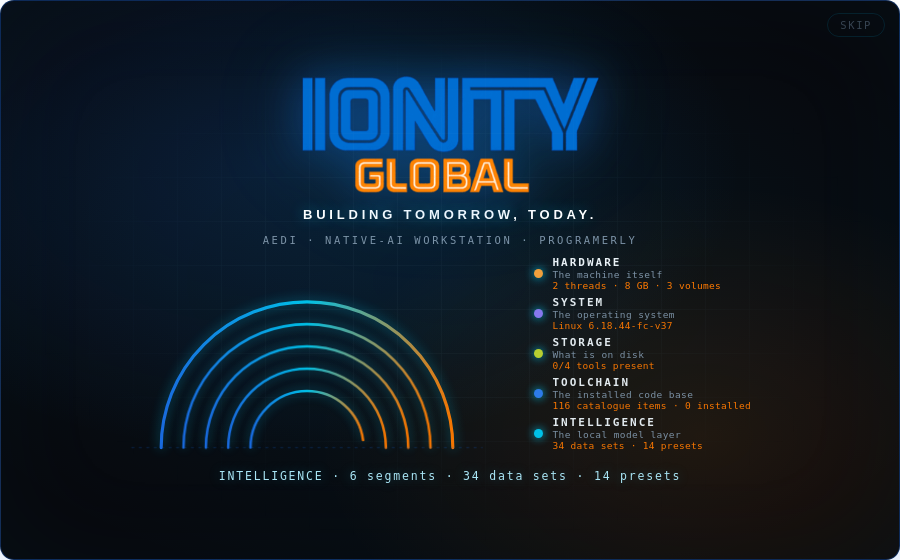
Ionity, in motion

Native AI on the edge, the AEDi stack, and the workstation that runs it — twenty seconds from the Ionity brand film.

New in 3.6 — the forecast, and the catalog people actually live in

AEDi Predict tells you how the run will go on this machine before you press Install — and learns from every run. Twenty-seven new items, three new groups, and still not one account linked.

AEDi Predict

Likelihood per item, expected clean installs, minutes with a range, download against free disk and an 8 GB reserve, and a risk list — built from what is read at that moment: engines on PATH, package hosts that answer, free space, elevation. Every figure carries its class: measured, learned, computed, assumed.

It learns this machine

Every run teaches its outcomes and timings back in. The likelihood is a shrunk posterior — three real outcomes outweigh the shipped prior — minutes switch to the learned median, and a speed factor scales the priors to your line. One sample every five minutes gives each disk a GB/day trend and a days-to-full. Nothing leaves the machine; Forget the history is one click.

Communication

WhatsApp Desktop, Microsoft Teams, Zoom, Slack, Discord, Telegram, Signal — installed and left signed out. You link your own phone and accounts; ProGramerly never touches one.

Cloud drives and sync

Google Drive for desktop, Microsoft OneDrive, Dropbox, and rclone for scripting any of them from the terminal. Same rule: installed, not signed in.

The agent bench and the maker bench

Gemini CLI, Codex CLI, GitHub Copilot CLI and Claude Code ⇄ GitHub relations (git, gh, the official claude-code-action template — no token). Firebase CLI with its local emulators. Bun, Deno and a Node toolbelt. Unity Hub, Godot. Blender, FreeCAD, KiCad, PrusaSlicer, Cura. GitKraken, lazygit, PowerToys, LibreOffice, Bruno, Twilio CLI, n8n. archify from the public Ionity fork, installed as an agent skill.

Verified on the real application

The engine has 14 checks with injected facts; the running app has 39 more — the forecast line in Software, the four stat tiles, a likelihood bar per item under a strict CSP, ten hosts probed, a suggestion added to the selection, an honest answer when no model runs. The 3.5.0 check still drives Relations, Environments and System.
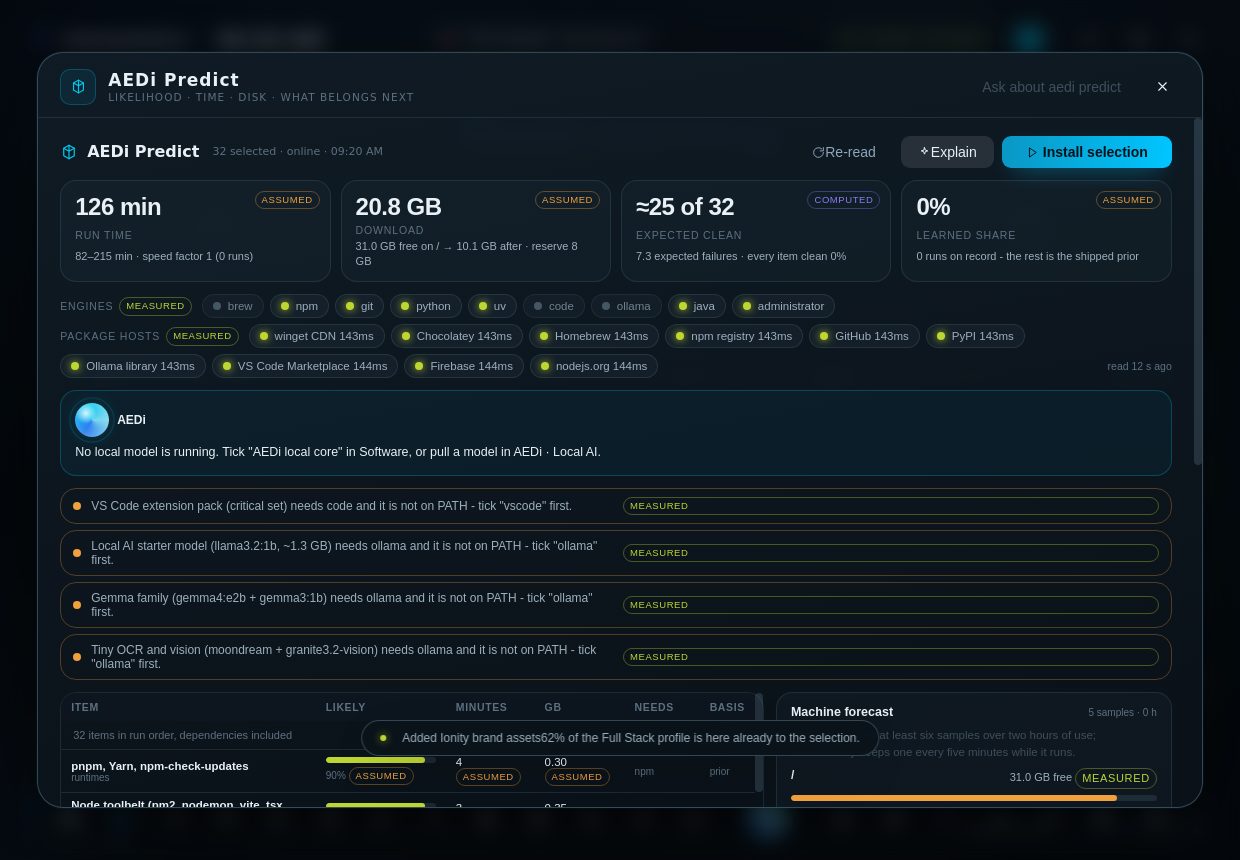
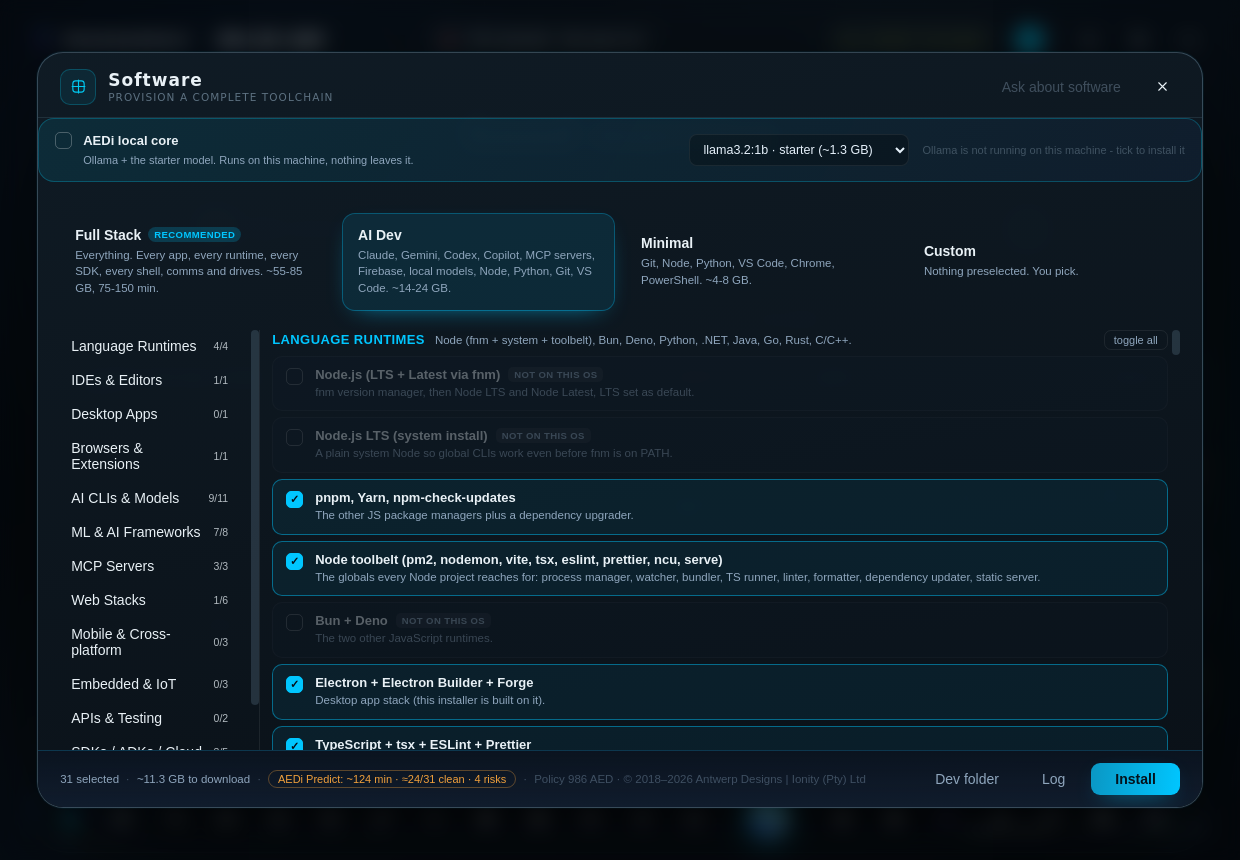
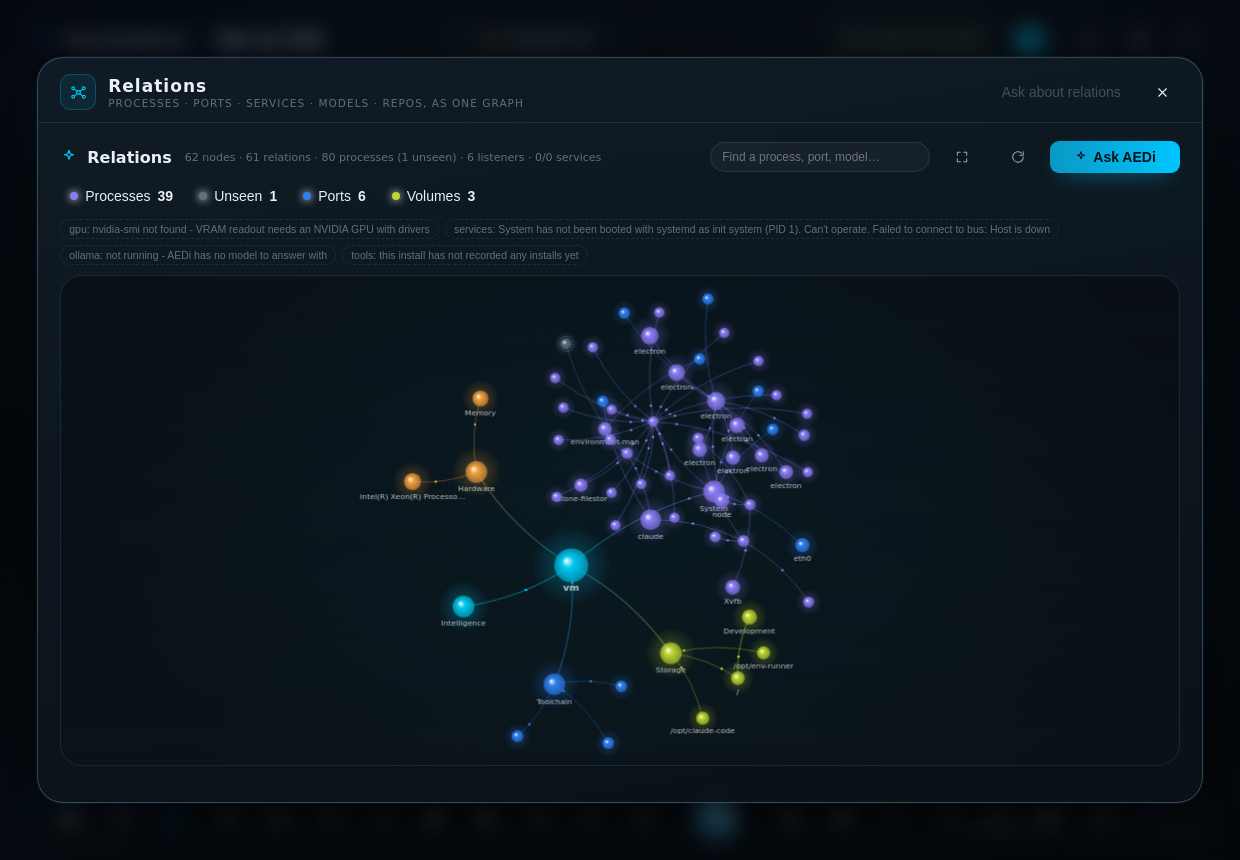
AEDi Predict - the forecast for a selection Software with the forecast line in the footer Relations - the machine as a graph The Ionity DOME intro

Older versions of this page · Release notes 3.6.0 · 3.5.0 · Every release

Downloads

Every build is produced on GitHub's own runners — Windows on windows-latest, macOS on Apple's toolchain, Linux on ubuntu-latest — and published with a SHA256.txt you can check before you run anything.

PlatformFileGet it
Windows 10/11 (x64)ProGramerly-Setup-*-x64.exeLatest release
Windows (ARM64)ProGramerly-Setup-*-arm64.exeLatest release
Windows portableProGramerly-Portable-*.exeLatest release
macOS (Apple Silicon)ProGramerly-*-arm64.dmgLatest release
macOS (Intel)ProGramerly-*-x64.dmgLatest release
Linux (any distro)ProGramerly-*.AppImageLatest release
Debian / Ubuntuprogramerly_*_amd64.debLatest release
Fedora / RHEL / openSUSEprogramerly-*.x86_64.rpmLatest release
ChecksumsSHA256.txtLatest release

Builds are currently unsigned: Windows shows “Windows protected your PC” → More info → Run anyway, and macOS asks for right-click → Open the first time. On Linux nothing gets in your way — mark the AppImage executable with chmod +x and run it, or install the package with sudo apt install ./programerly_*_amd64.deb / sudo dnf install ./programerly-*.rpm. Signing turns on automatically the moment the certificates are added to the repository secrets.

One suite, not a folder of tools

Every workspace is a capability of the same Command Center. Hover a tool to open it up.

The DOME

Your machine as five strata and 26 segments, in 3D.

Hardware, System, Storage, Toolchain, Intelligence — each segment bound to a real data set and scored live. Every figure says whether it is measured, computed, an assessment or state. Drag it, drill in, ask AEDi about any part of it.

  • 26 segments
  • 34 data sets
  • 14 presets

AEDi Predict

Knows how the install will go before you press Install.

Likelihood per item, minutes with a range, disk against an 8 GB reserve, and the risks — read from the engines on PATH and the package hosts that answer. Learns from every run on this machine.

  • measured
  • learned
  • computed
  • assumed

Relations

Everything running, seen and unseen, as one graph.

Processes — including the ones a task list hides — ports, services, volumes, models, environments and repositories, joined by the relations that exist right now. Click a node: its facts, its actions, and Ask AEDi.

  • spawned
  • listens
  • runs-as
  • stored-on

Environments

Describe it in a sentence. Get a real environment.

Python venv, uv, conda, a Node project or a Docker compose stack. AEDi drafts the recipe, you press Create, the real commands stream back. Nothing is called created until its marker file exists.

  • venv
  • uv
  • conda
  • node
  • compose

System

Processes, services, startup and ports — one action per row.

End a process, restart a service, disable a startup entry. Anything disabled is backed up first and comes back with one click.

  • End
  • Restart
  • Disable
  • Inspect

AEDi · local AI

An assistant that runs on your hardware, not someone's cloud.

Answers through Ollama with a small default model (llama3.2:1b, ~1.3 GB, runs on CPU). Gemma is first class. Every curated model says what it is for — chat, code, reasoning, vision or embeddings.

  • offline
  • Ollama
  • Gemma

Reading

Page, screenshot or PDF to text, on this machine.

OCR engines (Tesseract, RapidOCR, EasyOCR) for characters; tiny vision models (moondream, granite3.2-vision) for layout and handwriting. The answer always names its reader. Nothing is uploaded.

  • OCR
  • vision
  • PDF

Fan control

Every channel, its curve, and what it is doing now.

Live RPM and duty for every fan, every temperature source, and a curve editor that shows the command beside the reality. The driver-level apply belongs to Ionity FanControl (Fanzi, Windows).

  • RPM
  • curves
  • Windows

CiC

Central Ionity Control, one tile away.

The IONITY CiC workstation utility ships inside the Windows release, pinned by size and SHA-256 and verified every time before it runs.

  • SHA-256 pinned
  • Windows

Software

143 items, 22 groups, one elevated run.

Runtimes, IDEs, AI CLIs, MCP servers, databases, comms, cloud drives, CAD and PCB — resolved to winget, Chocolatey or Homebrew. Everything is installed signed-out; no account is ever linked.

  • winget
  • Homebrew
  • npm
  • pip

Fan control and CiC ship in the Windows release; macOS and Linux carry every other workspace.

IONITY